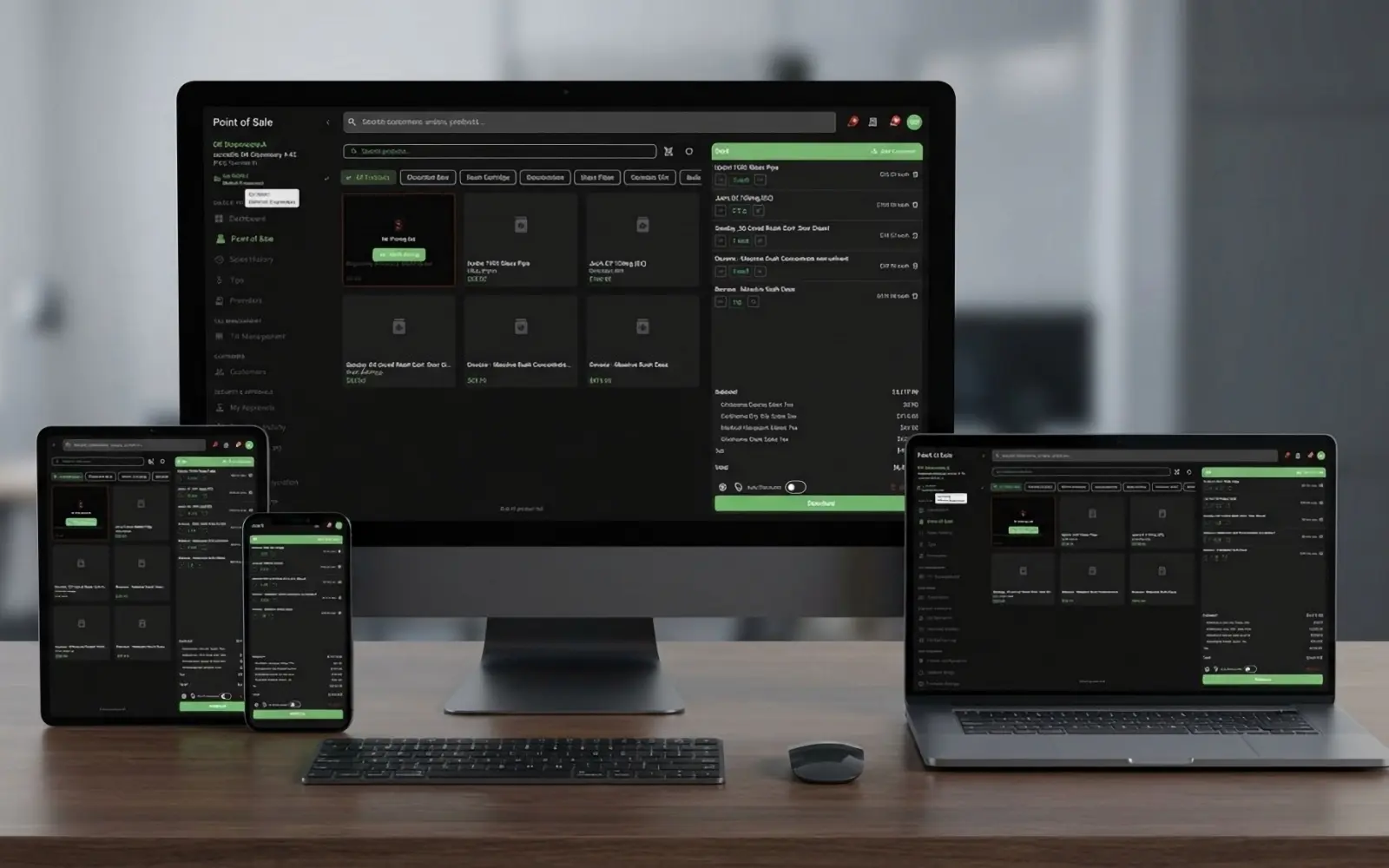
What ioKush does
The complete list of what a store, its staff and its shoppers can do on the ioKush platform — the register, the back office, the handheld, the online store and the state reporting behind them. Nothing here is a roadmap item; every line ships today.
- Areas
- 38
- Capabilities
- 845
- On every plan
- 660
- State
- New Mexico
- StandardIncluded on every plan
- ProfessionalProfessional and Enterprise
- EnterpriseEnterprise only
Register & Payments
Everything that happens at the counter — online, offline, by card or cash.
Core Point of Sale Standard
Essential POS functionality for cannabis retail operations
- Complete sales transaction processing
- Multi-terminal support with device registration
- Real-time inventory checking during sales
- Shopping cart calculation with taxes and discounts
- Receipt printing and in-app PDF receipt preview
- Returns and refunds processing with reason codes
- Refund amount calculation engine
- Transaction adjustments and voids
- Universal barcode scanning
- Multiple payment method support
- Paybotic debit card integration (point-of-banking)
- On-reader customer tipping during debit payments
- Automatic cashback rollup with till-paid difference
- Processor fee transparency on receipts
- Per-terminal Paybotic device serial management
- Gift card and store credit tender support
- Till management with opening/closing procedures
- Cash reconciliation and discrepancy tracking
- Manual till adjustments and overrides
- Transaction audit trail and logging
- Unified global search across POS
- Sales finalise in the background with live status on the register
- Dispensation forms and order types
- Compliance status per transaction
- Compliance comparison (regulatory vs system)
- POS dashboard with key metrics
- Sales transaction configuration per facility
- Sales transaction label generation
- Card payment status on the register while the customer pays on the Paybotic terminal
- Paybotic payment cancellation
- Receipt printer options per terminal
- Live product availability on the register grid
- Multi-inventory allocation per cart line item
- Compliance retry for failed state submissions
- Generic card / debit tender — record any external card reader's payment with its reference on the receipt
- On-the-fly custom discounts (cart or line, amount or percent) with a required reason and a server-verified manager PIN above the cashier's limit
- Manager price override at the register (down only, single-use PIN approval bound to the product and price, full line-item audit)
- Tax-inclusive ("out-the-door") pricing per store — shelf price is what the customer pays, tax backed out and reported correctly
- Weight / quantity price tables ("$10/g, $30 for 3.5 g", "3 for $30") — shared master tables or per-product tables, mix-and-match pooling across a product's weights, medical and per-store rows
- Medical vs adult-use pricing rows per product with the medical price shown on the grid during a medical sale
- Park / hold a sale and resume it on any register (auto-expiry, repriced and re-reserved on resume)
- Manual "No Sale" drawer open behind a PIN action
- Deli-style flower weighing with USB scales: live weight panel, software tare, weighed / tare / device audit on every line, per-store "scale required" rule with a manual-weight PIN
- Online orders worked at the register exactly as placed — quoted deals, promo codes, overrides and delivery fee carried in, cart locked and recalculated as the order Professional
- Curbside arrivals ("I'm here" with the vehicle) and scheduled-slot orders on the pending-orders panel; in-store kiosk orders badged Professional
- "Customers also bought" and "Their usuals" suggestion strip on the cart, from the store's own sales
- Member-price chips on the product grid for the attached customer's tier at this store
- First-time register setup on login: pick the store and enter a registration code
- A register retry, double-tap or replayed request never creates a second sale
- A declined, cancelled or timed-out card never leaves a half-written sale; a charge with no matching sale alerts a manager to reverse it
- Per-store compliance mode: real time (the state approves before the sale completes) or asynchronous (checkout never waits on the state); the card charge follows the store's mode
- Scale-required stores: a typed weight on a register that has a scale needs a manager's manual-weight approval
Offline POS Mode Standard
Full point-of-sale operation with no internet connection, powered by the same engine as the cloud
- Complete offline checkout: cart calculation, taxes, discounts, and totals
- Offline purchase limit and dispensing rule enforcement
- Offline patient lookup and caregiver sale validation
- Offline receipt generation and label printing
- One engine: the same pricing and compliance rules run in the cloud and on the register
- Full local copy of the store's data that updates itself (no app release needed)
- LAN peer mesh: terminals coordinate directly over the store network during outages
- Automatic leader election — one terminal owns inventory reservations so registers never oversell
- Encrypted, authenticated traffic between terminals on the store network
- Transactions queue locally and upload automatically on reconnect
- Local and cloud data checked against each other and reconciled automatically
- Live sync with catch-up for terminals that were asleep or offline
- Self-updating offline engine delivered from the cloud on login
- Offline sales earn loyalty points and count toward tiers; the member's store-specific tier prices the cart offline
- Offline price tables and medical pricing — the same tables the cloud charges
- Happy-hour and buy-X-get-Y liveness decided by the engine itself, so an offline register never applies an expired or deactivated deal
- Android / SUNMI terminals run the offline engine built in — nothing extra to install
- Offline sales survive a real outage: every queued sale is retried until the cloud accepts it, stock received during the outage is kept, and each sale lands on the right till or is flagged for review
- Register switches to offline mode by itself when the cloud is unreachable or failing while the store's internet is up — no toggle to flip
- Sales made offline are reported to the state when they upload, with the same outcomes as an online sale; each register knows which state system its store reports to
- Uploaded offline sales are checked against the patient's state allowance like any other sale
Till Management Standard
Advanced cash drawer and till operations
- Till opening and closing procedures
- Cash reconciliation
- Till session management
- Manual till transactions
- Till discrepancy tracking
- Till activity logging
- Till activity type configuration
- Till configuration per facility
- Till configuration: create, edit, delete
- Till override capability
- Till history and reporting
- Till reason codes
- Web till sessions and cash history across stores: open / closed filter, over / short tiles, drop-day drawer with movements and approvals, adjust with reason, reconcile, activity log
- Manual "No Sale" drawer open behind a PIN
- External card tenders and Paybotic cashback flow into reconciliation net of change
- One open till per register — a second open, or a desk reopen next to an open till, is refused
- Cash refunds and tenders always go to the register's own open till
Tips Management Standard
Employee tip tracking and payout system
- Tip recording during transactions
- Employee tip summaries
- Tip history and tracking
- Employee-specific tip views
- Payout batch creation
- Payout batch listing
- Payout batch detail views
- Void tip capability
- Employee-specific tip reports
- Web tips review across stores with hours worked (from the time clock) and gross notes
- Payout batch drawer on the web; void a tip with a reason; activity log
- Tips post to Tips Payable and payouts to cash / payroll clearing in the accounting journal Enterprise
Employee Time Clock Standard
Punches at the register, timecards on the web, hours on the tip payouts
- Clock in / out and breaks from the register with the employee's own PIN (honours require-PIN-on-clock-in)
- One open shift per employee enforced; header chip with the current status, cached for a quick glance
- Web timecards: punches by store, corrections with a mandatory reason and full history, void
- Labour-hours report on the store's clock with weekly overtime Enterprise
- Hours on tip summaries and single-employee payout batches
- Drivers punch too; time-clock permissions per role
Receipt Configuration Standard
Per-facility receipt layout designer
- Per-facility receipt layout: paper width, font size, character width
- Barcode type selection (code128, QR, or none)
- Custom header and footer messages
- Section toggles: customer, cashier, tax breakdown, item discounts, gift card balance
- Live receipt preview and sample render
- Per-terminal receipt overrides
- Register applies the facility layout with its terminal overrides
- Tax-inclusive receipt layout ("Tax (included in prices)") when the store prices out the door
- External card tender reference, weighed-line weight / tare, and ad-hoc discount reasons printed where configured
Printing & Labeling Standard
Comprehensive printing and labeling solutions
- Receipt printing
- Receipt printer options per terminal
- Product label generation
- Compliance label generation
- Sales transaction label generation
- Multiple printer support
- Supported printer catalog
- Custom label template designer
- Label template: create, edit, delete
- Label template import/export
- Label template preview
- Default label template library
- Create template from default
- Preview default templates
- Available label components listing
- Label template image upload and management
- Label template image download
- Barcode label printing
- State-specific label formats
- Supported states listing
- Printer configuration management (Inventory app)
- Facility printer management (POS)
- Facility printer: create, edit, delete
- Printer type filtering
- Network printer support
- Mobile printing capability
- Facility-based printer assignments
- Default printer configuration
- Printer connection testing
- Terminal label printer config
- Current session label printer config
- ZPL (Zebra Programming Language) support
- Barcodes (Code 128, Code 39, QR) and images on labels
- Offline label generation and printing
- Die-cut labels print at the exact media size — no blank labels on thermal printers
- Die-cut labels on SUNMI label-capable handhelds (label mode) and desktop TSC / Zebra label printers
- Remote LAN label printing: send a label to another device's printer over wifi
- Receipt auto-cut preference for terminals with a cutter
- Labels printed as packages are received or repackaged on the handheld
Native Applications Standard
Cross-platform native apps for POS and inventory with full hardware integration — Windows and macOS desktops, iOS, Android and SUNMI handheld / desktop terminals
- Native Windows and macOS POS applications (signed and notarised builds)
- Native Windows Inventory app
- iOS POS and Inventory apps
- Android POS and Inventory apps
- Receipt printer integration (direct USB and system printers -- any printer installed on the OS)
- Barcode scanner integration (wired USB)
- Cash till integration with open/close drawer control
- Customer-facing display support (secondary screen for customer-side views)
- Label printer integration (wired USB and wireless/network)
- Direct USB and network peripheral connectivity
- Universal barcode scanning
- Inventory management on all platforms
- Transfer processing and acceptance
- Real-time synchronization
- Receipt printing from any device
- Field inventory management
- Label generation from any device
- Inventory dashboard and overview
- Room management
- Sublot creation
- Inventory adjustments
- Notification and alert streaming
- Android POS on SUNMI terminals: built-in receipt printer with auto-cutter (D3 mini), second customer-facing screen, offline engine bundled in the APK
- Inventory app on SUNMI label-capable handhelds (V2 Pro / V3 Plus): die-cut compliance and product labels from the built-in label printer
- Remote label printing over the store wifi — print through another device's label printer (automatic discovery, trusted devices only)
- USB scale support on the register with live weight, tare and audit
- Handheld receiving, cycle counts, repackaging, transfer requests, purchase orders, recalls, destruction records, quick product edit, lab results (see Inventory Management)
- Inventory app store picker — every request scoped to the chosen store
- In-app "Edit product" / "Lab results & COA" / "History" cards on package details
- Inventory app stays signed in for up to 30 days of regular use — no daily re-login
- All on-screen text selectable / copyable, including error messages
Customers & Loyalty
Profiles, medical cards, tiers and points that follow the customer to every store.
Customer Management Standard
Comprehensive customer relationship and compliance tracking — at the register and across every store on the web
- Customer registration and profile management
- ID/License scanning and verification
- Medical marijuana (MMJ) card management
- MMJ card search and verification
- Age verification and compliance checking
- Purchase history tracking
- Purchase history detail views per transaction
- Customer points and loyalty programs
- Customer points value calculation
- Membership tier management Professional
- Caregiver assignment and management
- Caregiver search
- Customer document storage and management
- Secure, expiring links to customer documents
- Purchase limit tracking and enforcement
- Customer search and filtering
- Customer detail updates post-scan
- Create customer profile from preorder data
- Web customer directory across all stores with filters (medical cards expiring, tier, store) and CSV export
- Web customer profile: purchase history, loyalty ledger, documents, caregivers, linked online account
- Loyalty point adjustments with a required reason, audited
- Duplicate-customer merge with a preview of what moves (sales, points, cards, online login)
- Customer DOB and ID-check results honoured on online orders worked at the register
- Marketing consent captured separately from transactional consent (e-mail / SMS, TCPA wording) on online orders and accounts
- Duplicate driver-licence numbers (and vehicle VINs, purchase-order numbers) are refused within a business with a link to the existing record
- Webshop account linking is verified (card + date of birth, or an order the account itself placed); an e-mail / phone match shows only a name, points balance and the card's last 4
- Staff can unlink a customer's online login from the store record, or switch the login off (its sessions end)
Membership & Loyalty Professional
Customer loyalty and membership programs — tiers on lifetime spend, per store, at the register, offline and online
- Membership tier creation and management
- Membership tier: create, edit, delete
- Points accumulation system Standard
- Tier-based benefits
- Loyalty program administration
- Member enrollment from POS
- Points redemption Standard
- Points value calculation Standard
- Membership analytics
- Membership deletion
- Customer-specific membership views
- Tier ladder on lifetime spend (carried-over + sales − returns / voids) with automatic upgrades and "$X more to reach Gold" on the web, the register and the storefront
- Store-specific tiers: one membership, each store its own ladder; the tier at the store where the member shops sets prices, discount, points rate and point value; hand-set tiers are floors
- Business-set point value per tier
- Points earned on online orders, reserved at order and debited at the register's completion
- Points taken back automatically on void / return (business-wide setting); staff give-back of spent points behind a PIN, with reasons in the ledger Standard
- Offline sales earn points and count toward tiers
- Member prices online from the signed-in session; Rewards tab with tier progress and store banner
- Web loyalty tab per customer with the full ledger (earned / used / taken back / given back) and adjustments with reasons Standard
- Deactivating a membership takes effect everywhere at once: register, offline register, member prices and online
Gift Cards & Store Credit Standard
Digital and physical gift cards with cross-store redemption, plus customer store credit
- Digital and physical gift cards (scan preprinted cards or auto-generate codes)
- Business-wide redemption — issue at one store, redeem at any
- Gift card reload, void and cash-out operations
- Full transaction ledger per card; balance printed on the receipt
- Per-facility compliance policy toggles (reloadability, expiry months, cannabis purchase eligibility, cash-out limits)
- Store credit per customer with issue, adjust, and void
- Store credit as a refund destination
- Outstanding liability reporting for accounting
- Offline redemptions can never double-debit a card when they sync
- Offline balance and liability visibility from the local cache
- Gift-card products excluded from "customers also bought" and "buy it again" suggestions
- Gift cards sold post as a liability (not revenue) in the accounting journal
Discounts & Promotions Standard
Flexible discount and promotional systems — one engine for the register, the offline register and the online store
- Discount creation and management
- Percentage-based discounts
- Fixed amount discounts
- Product-specific discounts
- Customer tier discounts
- Bulk purchase discounts
- Time-based promotions
- Loyalty program discounts
- Manager override discounts
- Discount tracking and reporting
- Discount: create, edit, delete
- Happy-hour windows (weekday mask + time range in the store's timezone)
- Buy X get Y / BOGO (repeating, cheapest-free across lines, promoted units excluded from other item discounts)
- Promo codes with online / in-store channel, first-order-only, exclusive, usage limits
- Automatic online specials with a storefront Specials page and live sale badges on the menu
- Custom discount threshold per store: above it the register requires a manager PIN, verified by the system per discount
- Discount reasons recorded on every ad-hoc discount and reported
- Active dates and windows evaluated identically at the register, offline and online
- Live promo-code availability check on the discount form
Check-in & Queue Management Standard
Customer check-in and queue management system
- Customer check-in system
- Queue management
- Wait time estimation
- Queue status updates
- Staff notifications
- Check-in history
- Check-in status updates
- Check-in kiosk mode with a terminal lock (manager PIN to exit)
- Serve → register hand-off: the served customer lands on the register's sale
- "Now serving" display board on TV menu boards or a queue-only lobby screen Professional
- Curbside arrivals from online orders join the queue with the vehicle
- Visit closes when the sale completes
- Check in by scanning the ID: finds or creates the customer, applies the age rules, and the kiosk shows why an ID is refused
Inventory & Catalog
From receiving to destruction, on the web and on the handheld.
Inventory Management Standard
Complete inventory tracking and management system — with a full receiving-to-destruction workflow on the handheld inventory app
- Real-time inventory tracking
- Barcode-based inventory management
- Multi-location inventory support
- Inventory movement logging
- Room-based inventory organization
- Sublot creation and management
- Batch tracking and traceability
- Inventory transfers between facilities
- Transfer acceptance and rejection workflows
- Transfer item progress tracking
- Transfer item barcode scanning
- Transfer product assignment
- Low stock alerts and notifications
- Inventory audit trails
- Bulk inventory operations
- Package unit tracking
- Waste tracking and disposal
- Inventory adjustments with reason codes
- Schedule destruction workflow
- Undo schedule destruction
- Destroy inventory execution
- Move all inventory by room or filter
- Inbound transfer inspection lists
- Inbound transfer synchronization
- Live inventory list updates
- Inventory overview summary statistics
- Inventory dashboard summary
- Receive against a purchase order or walk-in (no PO) from the handheld: expiration, batch, unit cost pre-filled from the PO line, labels print as packages are created
- Reorder points and par levels per product and store (UOM-aware) with a low-stock list, dashboard tile and in-app alert
- Low stock → purchase-order draft in one tap (vendor picked, lines pre-filled)
- Cycle counts / physical audits: scan-driven counts by room, variances with reasons, posting behind an inventory PIN action, variance report on the web
- Package history / audit trail on every package (receipts, moves, counts, adjustments, sales, destruction) plus an inventory activity screen with type filters
- Expiring-soon list and badges with configurable horizon, expiry alerts, straight to scheduled destruction
- Unit cost on every package and inventory valuation at cost (dashboard tile, COGS and accounting journal use it)
- Repackaging / conversion: bulk → pre-packs, combine lots, change UOM, waste recorded, lab data inherited, labels for the new packages
- Inventory list filters and sorting (room, category, quantity, expiry, in-stock) that survive live refreshes
- Quick product edit from the handheld: name, SKU, brand, category, on-menu switch, this store's any / medical / adult-use prices (in place, synced to registers and the webshop at once), storefront effects / flavors / terpenes
- Recalls on the handheld: move affected packages to quarantine, schedule destruction, recall banner on the package
- Destruction records with method, employee witness, hauler + manifest number and weight destroyed; waste report carries the new columns
- Multi-facility stock view and multi-line transfer requests between stores, sent per line, manifest drafted automatically with FIFO packages
- Manufacturer UPC on products (scan the box) and SKU generation; the register and the handheld resolve a UPC scan to the product
- Lab results & COA card per package (test date, lab, THC, pass flag, the lot's own terpenes) — the online menu lists the batch as lab tested
- Multi-select: print labels (type, printer, copies) and export the selection to CSV
- Inventory PIN actions (count posting, adjustments, destruction) with the approver on the record
- Inventory-only role for warehouse staff (handheld + web; refused at the register)
- Every handheld request is scoped to the chosen store
- Simultaneous updates from registers, receiving, transfers, counts and returns never overwrite each other; every on-hand change is a ledger entry you can audit
- Inventory integrity page on the web: on-demand or nightly scan, findings per package (rooms vs package vs ledger), accept the count or repair rooms in one step with a note
- Hourly New Mexico state-vs-store inventory reconcile with the differences per store
- Preview the state's lab results for incoming packages before accepting an inbound transfer
- Transfer requests between stores: the receiving store accepts or declines, the requester can cancel
Product Management Standard
Comprehensive product catalog and configuration
- Product catalog management
- Product category organization
- Product category POS display configuration
- Strain information tracking
- Brand management
- THC/CBD content management
- Product pricing and cost tracking
- Product pricing rules
- Product images and descriptions
- SKU and barcode management
- Package type configuration
- Unit of measure (UOM) management
- Available UOM listing
- Product facility assignments
- Spreadsheet-style product quick-edit grid: set one field across the selected or all filtered products with a dry-run preview
- Product search and filtering
- Product type customization
- Product type form configuration
- Product type state sync
- Cannabis vs non-cannabis classification
- TIC (Taxability Information Code) support
- Tag management
- URL slug management for webshop
- Weight / quantity price tables on the product form (pick a shared table or build the product's own); shared tables page
- Medical vs adult-use price rows ("Any sale type" or one kind) with a unique row per product / store / tier / kind
- Chain price grid: every product's price in every store on one page, edit a cell in place, copy prices store → store with a dry-run preview
- Storefront profile from a fixed, neutral vocabulary — effects, flavors, terpenes (no health claims)
- Lab results & COA per lot on the product form (date, lab, terpenes, pass flag, COA link or PDF upload)
- "Products missing data" catalog-completeness report
- Manufacturer UPC + SKU generator with check-digit validation
- Active flag honoured everywhere (register grid, scans, webshop, offline mirror)
- Start a product type from built-in templates
Purchase Order Management Standard
Vendor and purchasing workflow management
- Purchase order creation
- Purchase order number generation
- Purchase order: create, edit, delete
- Purchase order item management
- Purchase order cart calculation
- Vendor management
- Send to vendor workflow
- Receiving workflows
- Cost tracking
- Vendor communications
- Purchase order history
- Document upload and attachment
- Document deletion
- Payment status fields per purchase order (paid / unpaid / partial)
- Inventory receiving integration
- Create purchase orders on the handheld (vendor, lines, prices) and mark them ordered
- Low-stock list → PO draft with lines pre-filled
- Receive a PO on the handheld with cost, expiration and batch per line, labels as you go; the web PO flips to Received
- Receiving and transfer acceptance appear in the package history
- See a product's previous purchase orders while drafting a PO on the handheld
Vendor Management Standard
Supplier and vendor relationship management
- Vendor profile creation
- Vendor: create, edit, delete
- Vendor information management
- Vendor contact details
- Vendor-linked purchase orders
- Vendor search and filtering
- Vendors created and picked on the handheld when drafting a purchase order
Lab Testing Integration Standard
Laboratory testing result management — per lot, on the web, the handheld and the online menu
- Lab test result tracking
- COA (Certificate of Analysis) management
- Batch testing compliance
- Failed test handling
- Lab result reporting
- Draw a lab sample from a package on the handheld and enter results per panel; results flow to the parent and every sublot; correct a single result
- Per-lot results on the product form and the handheld: test date, lab, THC, pass flag, the lot's own terpenes
- COA link or PDF upload per lot; a public results summary PDF that is explicitly not a certificate of analysis
- In-stock batches listed as lab tested on the online product page
- Lab data clearable; untested lots show no lab panel online
- Define your own lab tests and panels from an industry-standard panel catalog with standard units; panels fill the package's compliance fields
- Testing-lab directory filterable by state, used when drawing samples on the handheld
Data Import & Onboarding Standard
Bring an existing store's data in from a CSV or a competitor export — products first, then everything a day-one store needs
- Import from LeafLogix / Dutchie POS exports
- Import from BioTrackTHC POS exports
- Canonical CSV template for manual catalog builds
- Tolerant column matching — export-version drift doesn't break the import
- Large files supported (up to 512 MB)
- Imports run in the background and resume on their own if interrupted
- Per-row success/failure/skip tracking with original data retained for audit
- A bad row never aborts the file
- Imported categories linked to every store the product is assigned to
- Eight import entities: products, customers, caregivers, loyalty balances, gift cards, inventory lots, vendors and dispensing-limit history
- LeafLogix / Dutchie exports accepted for products, customers, vendors, inventory and loyalty; BioTrack exports for products
- Upload any CSV, inspect the detected columns, map them once and save the mapping for next time
- Import history with per-row drill-down (accepted / skipped / failed with the reason)
- White-glove onboarding: ioKush support can run the imports for you; the history shows they were run by support
Compliance & State Reporting
Dispensing limits, state traceability and recalls, enforced the same way online, offline and at the door.
Compliance & Traceability Standard
State compliance and regulatory reporting
- New Mexico (state reporting to NMS2S through the RLD CCD POS API)
- Additional non-traceability states supported on the default compliance engine
- State-specific compliance rules engine
- Automated compliance reporting
- Seed-to-sale tracking
- License management and verification
- Dispensation limit enforcement
- Lab testing result tracking
- Lab test state sync
- Compliance audit logs
- State reporting synchronization
- Business license management
- License type management
- Regulatory document storage
- Destroy reason management
- Destroy reason state sync
- Adjustment type tracking
- Adjustment type state sync
- State-specific product type sync
- New Mexico CCD POS API integration (dispense reporting, patient card validation)
- NM automatic 90-day patient allowance tracking (limit/used/remaining)
- NM state submission per store: real time (state approval before the sale completes) or asynchronous (checkout never waits on the state)
- A retried sale can never be double-reported to the state
- NM void/return with automatic state-side inventory restoration
- Dispensing limits checked the same way everywhere, with each state's rules and deductions
- Per-bucket remaining-allowance display for budtenders
- Data-quality warnings with explicit manager bypass
- Audit trail of every call to the state system (sensitive values redacted)
- Product recall management with register-level sale blocking
- Affected-customer identification and recall notification emails
- State credentials per store (one token per facility)
- Purchase-limit settings page (business-wide New Mexico overlay) with the state's rules shown, per-category overrides, audited
- Delivery compliance built in: residential-address-only, in-state only, ID check at the door, NM per-vehicle manifest value cap
- Purchase limits enforced online (cart + order time) with the same engine as the register
- Online age gate (DOB; medical 18+) and the NM 16.8.3.8 consumer warnings verbatim on the storefront and product pages
- Every sale in a state system ends with a clear outcome — not required, pending, submitted or failed — and a reason; failures alert staff and retry, nothing is silently skipped
- Online orders and offline sales are reported to the state exactly like a register sale
- Delivery sales reported as delivery (not in-store); unregistered delivery setups fail loudly instead of mis-reporting
- Voids and returns are reported to the state reliably, even if a server restarts in the middle of the report; the state's answer never undoes a local void
- Dispensing limits are enforced centrally from the state's own patient allowance plus the business's not-yet-reported sales — register, online, offline and delivery alike; voids restore the allowance
- Hourly New Mexico reconcile of unreported sales
- Unreported-sales panel on the web: sales the state has not accepted, by status and reason, with Retry all
- State Reporting Exceptions report: unaccepted sales with the reason, the state's last answer and the attempt count Enterprise
- Pull the state's registered delivery drivers and vehicles onto employee and vehicle records (New Mexico)
- Editable inventory-type to dispensing-bucket mapping, synced to offline registers
- Recalls on the handheld: add packages to an open recall, affected-sales CSV for the regulator, close the recall
Tax Management Standard
Advanced tax calculation and compliance
- Multi-tier tax calculation
- State and local tax support
- Excise tax management
- Tax matrix configuration
- Tax matrix templates
- Tax matrix: create, edit, delete
- Automated tax calculations
- Tax preview functionality
- Tax calculation basis configuration
- Tax rounding strategy options
- Recommended rounding strategy
- Tax exemption handling
- Tax reporting and remittance
- Historical tax rate tracking
- Tax jurisdiction management
- Tax jurisdiction type management
- Tax jurisdiction type templates
- Tax jurisdiction bulk creation
- Facility-specific tax jurisdiction assignment
- TIC (Taxability Information Code) support
- TaxCloud integration
B2B Transport Manifests Standard
Licensed wholesale transport manifests between businesses (every plan)
- License-number-keyed parties — ship to any licensee, even first-time counterparties
- Multi-stop routes with per-stop direction detection
- Up to two drivers plus third-party transporter support
- Vehicle assignment
- Prefill a manifest directly from a purchase order
- Per-state policy engine surfaced before data entry (driver count, vehicle, stop/item limits)
- Full lifecycle: draft, started (with undo), completed, void with reason
- Printable PDF manifest for every state
- Automatic internal vs external leg detection
- Outbound manifests spawn the matching B2B transfer on start; the receiving store accepts it with the invoice cost per item and an inspection PDF
- Drafted automatically from a multi-store transfer request (both lots, their license → ours)
Online Ordering & In-Store Screens
Your own storefront, kiosks and menu boards, fed by the register’s inventory and deals.
Webshop & E-commerce Professional
A modern, native online storefront that is the register's own inventory, discounts and tax — no middleware, no marketplace fees
- Online product catalog
- Product browsing by store
- Product detail pages with slug-based URLs
- Customer accounts created by one-time-code sign-in (no password to register or forget)
- Online ordering system
- Shopping cart functionality with tax calculation
- Pickup/delivery scheduling
- Order status tracking
- Customer account portal
- Mobile-responsive design
- Integration with POS system
- Custom store subdomain support
- URL slug management for stores and products
- MMJ card verification at checkout
- Product categories browsing by store
- Preorder creation from webshop
- Multi-store support per business
- Store directory and discovery
- Modern storefront design: store hero, sticky category bar, product cards, cart drawer, one-page checkout, light mode, the same look as the ioKush apps
- Live availability = the store's inventory minus every other cart's holds; carts hold stock with a timeout
- Medical vs adult-use pricing online; medical-card check against the store's own records (UUID or card number); purchase limits in the cart and at order time
- Store hours, order-ahead, pickup / delivery availability, delivery minimum and fee enforced online and carried to the register
- Menu essentials on every card: brand, indica / sativa / hybrid, THC % or mg, size, sale badge; filters by strain type, brand, price, THC, size, effect and on-sale; sort by popular / price / THC / newest; weight picker from the product's price table
- Deals online: automatic specials and happy hours in the cart, promo codes, a Specials page, online vs in-store channel
- Age gate (DOB, medical 18+), NM consumer warnings, licensee line, legal pages with built-in EN / ES templates the business can customise, WCAG 2.1 AA baseline (axe-checked), English / Spanish switcher
- Live order status page (no reload) with pickup code + QR + timeline; e-mails as the order moves; SMS "ready for pickup" behind a per-store switch with quiet hours and a pluggable provider
- SEO baseline: per-tenant sitemap.xml + robots.txt, canonical + hreflang, Organization / LocalBusiness / BreadcrumbList / Product structured data, per-business GA4 with a cookie notice
- Customer accounts: one-time-code sign-in by e-mail (or text where the store texts), linked to the store's customer profile, order history, one-tap reorder, saved addresses and medical card, pre-filled checkout, staff view of the linked account
- Loyalty online: member prices from the session, points balance, a points slider at checkout with an earn estimate, points reserved on the order and debited at completion, Rewards tab with the store banner and Join
- Scheduled pickup / delivery windows with capacity, order-ahead when closed, curbside with vehicle and "I'm here"
- Delivery zones by ZIP or radius with their own fee, minimum, free-over, lead time and timing; address autocomplete + geocoding; residences only (a business at the address is refused), in-state only, ID verified at the door with a provider hook
- Product depth: photo galleries on cards, effects / flavors / terpene bars, lab results per in-stock batch with the COA link or PDF and a results summary that is never called a COA
- In-store ordering kiosks from any tablet: locked touch menu, in-store deals, first name + phone, pickup code, idle reset, one-click kiosk per store with link + QR
- Embeddable menu on the store's existing website with a per-business frame allow-list and an embed script
- "Customers also bought" on the product page, "Add to your order" in the cart and on kiosks, "Buy it again" for signed-in shoppers — from the store's own sales, refreshed hourly
- Saved cart that follows a signed-in shopper to any device; one cart reminder e-mail an hour after it is left (marketing consent only, at most weekly); "Notify me when it's back" back-in-stock e-mails; unsubscribe link + one-click headers on every marketing e-mail; sent / converted counts for the business
- Site-wide banner, custom pages and TV menu boards from the same catalog
- Menus stay fast on a 5,000-product catalog and update within seconds of an inventory change
- Shoppers edit their profile, say "this is not me" to unlink, or close their account (login off, sessions ended, store records kept)
- Store locator: nearby stores by location and radius (up to 200 miles), searchable by name
Webshop Content Management System Professional
Full-featured CMS for the online storefront — content blocks, custom pages, scheduling that fires, and a drag-and-drop page builder
- Page content management (home, about, FAQ, etc.)
- Content block creation and editing
- Content block reordering
- Content block visibility toggle
- Content block deletion
- Page publishing workflow
- Page scheduling for future publish
- Page unpublishing
- Page preview before publish
- Fast server-rendered public pages
- Theme management and customization
- Theme color palette auto-generation
- Theme reset to defaults
- Logo upload and management
- Logo deletion
- Template library
- Template preview
- Template application to storefront
- Version history management
- Version restore capability
- Version lookup by number
- Content versioning and rollback
- Custom pages (/p/{slug}) with EN / ES titles, header / footer placement, per-store listing (up to 50)
- Scheduled publish and take-down, to the minute; live pages cannot be double-scheduled
- Site-wide promo banner
- Drag-and-drop page builder: 22 tile types on a 12-column grid, resize from the corner, English + Spanish per tile, brand style presets, phone preview, autosave with undo / redo
- Block editors for every block type (no more unedited blocks)
- Legal pages (terms, privacy, accessibility) from built-in EN / ES templates with an admin Customize
- Theme page controls: GA4 id, banner, embed allow-list + script, cart-reminder and back-in-stock switches with counts, recommendations switch
- Video blocks limited to an allow-list of embed hosts
- Per-storefront SEO settings: Google Tag Manager container and a default social-share image
Preorder System Professional
Advanced preorder and reservation management for pickup, curbside, delivery and kiosk orders
- Online preorder placement
- Preorder management workflow
- Preorder creation from POS
- Preorder creation from webshop
- Inventory reservation system
- Cart reservation with timeout management
- Pickup scheduling
- Preorder status tracking
- Preorder confirmation
- Preorder checkout cart
- Customer notifications
- Preorder cancellation handling
- Preorder-to-sale conversion
- Preorder completion from the register
- Preorder expiration handling
- Scheduled fulfillment
- Customer matching for preorders
- Attach a customer profile to an online order
- Lookup by order number
- Regulatory options per line item
- Live order status on the register and the web
- Pending orders dashboard, live
- Create customer profile from preorder
- Order source on every order (webshop, kiosk, register) with a Kiosk badge at the register
- Scheduled pickup / delivery slots built from store hours and delivery windows (lead time, per-slot capacity, 7 days out); a closed store still takes scheduled orders
- Curbside pickup with the vehicle description and an "I'm here" that creates a check-in visit and alerts the register
- Quoted deals, promo codes, loyalty points and delivery fee honoured from the order through the register's completion
- Register works the online cart exactly as placed (items locked, recalculated as the order)
- Order notices on every status change: received → confirmed → processing → ready → completed / cancelled / expired, EN / ES, store as sender
- Expiry at slot end + 2 h for scheduled orders
- Guest orders complete without a customer record
- An online order can only be completed once, even from two registers at the same moment
- Stock is held from the moment an order is placed; abandoned carts release their hold automatically
- Medical pricing pending until the card is verified; the storefront cart, checkout and order page say so
Delivery Management Professional
Complete delivery and manifest tracking system
- Delivery manifest creation
- Delivery manifest listing
- Delivery manifest detail views
- Driver assignment and management
- Driver selection interface
- Vehicle fleet management
- Vehicle: create, edit, delete
- Manifest PDF generation
- Delivery start and completion tracking
- Undo delivery start capability
- Void delivery manifest
- Per-stop outcomes (delivered / could not deliver) with the manifest's load and timeline
- Delivery zones per store (ZIP or radius) with fee, minimum, free-over, lead time, timing, priority and pause
- Residential-address validation with autocomplete; businesses at the address refused; in-state only
- ID pre-verification hook (electronic provider pluggable) and ID checked at the door
- NM per-vehicle manifest value cap enforced when drafting manifests
- Order zone, residence flag and ID-check state on the register's order detail; manifest wizard shows the zone and load value
- Drivers punch the time clock
- What happened at the door is recorded: undelivered stops put the order back to ready with its stock still held, proof of delivery per stop, a manifest cannot complete with a pending stop
- One active run per vehicle; stop quantities carry their unit of measure
- An order cancelled or moved back at the register while on the road drops off the run cleanly
Back Office & Reporting
Run one store or a chain from one login, with reports that agree with the till.
Business Management Standard
Multi-location business operations and administration, with a business-wide Back Office that scopes every page to one store or all stores
- Business sign-up and onboarding
- Business profile management
- Business profile updates
- Multi-facility management
- Facility creation and configuration
- Facility search
- Facility dashboard with recent activity
- Business user creation and management
- Business user listing and detail views
- Business user role assignment
- Business user deletion
- Role-based permissions system
- Permission role mapping
- Business license tracking
- License creation, update, and deletion
- License type configuration
- License type: create, edit, delete
- Room and location management
- Multi-state operations support (AZ, FL, NM, OK)
- Timezone management
- Business image and branding management
- Terminal creation, update, and deletion
- Terminal device reassignment
- Terminal session management
- Terminal active session tracking
- Terminal clear assignment
- Terminal list by facility
- Business-wide facility scope on the web: header store switcher, "All stores" or one store on every page, facility-access enforcement for every user
- Chain dashboard: per-store local day, by-store comparison table, timezone-correct Professional
- Settings hub: per-store cards (receipts, tills, PINs, scale rule, held-sale expiry) and business-wide cards (purchase limits, accounting, loyalty)
- Activity log ("who did what"): every write across the web and registers with user, store, before / after, masked bodies, filters by user / type / failed-only, detail drawer
- Real user detail pages, per-user permission grants and revokes on top of the role, PIN administration, deactivate / reactivate
- Facility form: store hours, webshop fulfilment, scheduling, curbside, delivery zones, tax-inclusive pricing, scale rule, held-sale expiry, recommendations switch
Multi-Store (Chain) Operations Standard
Run a chain from one Back Office — every feature knows which store it is in
- One admin login across every store; store scope on every web page and every handheld request
- Chain dashboard with a by-store table on the store's own local day Professional
- Sales transaction audit across stores: list, detail, voided-sale detail (who / why — voids themselves stay at the register), return to store credit from the web, receipt reprint
- Till sessions and cash history across stores: over / short tiles, drop-day drawer, adjust with reason, reconcile
- Tips and payouts review across stores with hours worked, payout batch drawer, void with reason
- Chain pricing: per-store price grid, in-place edit, copy prices between stores with preview
- Store-specific loyalty tiers: one membership, each store its own ladder and prices
- Multi-store report parameter on every store report, a Store Comparison report with previous-period columns, scheduled delivery per store set Enterprise
- Per-store state-reporting tokens and compliance settings
- Per-store webshop fulfilment, hours, scheduling and delivery zones; kiosks and menu boards Professional
Sales & Analytics Standard
Comprehensive reporting and business intelligence — 40+ registered reports on every plan; financial statements, customer analytics and multi-store runs on Enterprise
- Daily sales summary report
- Hourly sales analysis report
- Revenue trends report
- Sales by product report
- Sales by staff report
- Facility sales breakdown report
- Cost of goods sold (COGS) report Enterprise
- Profit/loss summary report Enterprise
- Expense tracking report Enterprise
- Customer demographics report Enterprise
- Customer purchase analysis report
- Customer purchase history report
- Customer retention analysis report Enterprise
- Inventory status report
- Inventory movement report
- Receiving/purchase order report
- Transfer tracking report
- Waste/destruction report
- Seed-to-sale tracking report
- Tax reporting and breakdown
- Cash reconciliation report
- Dispensing limits tracking report
- Lab testing compliance report
- License compliance report
- Staff activity logs report
- Staff sales performance report
- Staff schedule analysis report
- Discount usage tracking report
- Loyalty program performance report
- Till session report
- Tip distribution report
- Tip summary report
- Vendor payment tracking report
- PIN approval history report
- Approver summary report
- Report catalog with categories
- Parameterized report execution
- Parameter search for report filters
- Long reports run in the background and notify when ready
- Report export to CSV and PDF
- Secure report download links (regenerate when expired)
- Dashboard with key metrics
- Custom date range reporting
- Store Comparison report (any set of stores, "vs previous period" columns) Enterprise
- Every store report takes a multi-store parameter (one, several or all stores) (Enterprise; Standard and Professional run one store at a time)
- Labour-hours report from the time clock (shifts, breaks, weekly overtime) Enterprise
- Accounting journal report: one balanced entry per store per day in the QuickBooks Online / Xero import shape (tenders by method, discounts, returns, COGS, taxes by jurisdiction, gift-card liability, tips) with a business chart of accounts Enterprise
- Inventory count variance report (cycle counts)
- Products missing data (catalog completeness) report
- Waste / destruction report with method, witness, hauler and weight columns
- Tax reports carry the correct taxable base per line (tax-inclusive and discounted sales included)
- Reports net of change-given, so tenders tie out to the till
- One definition of net sales behind every figure (gross, discounts, returns, net, tax, collected): the daily summary, store sales, product and staff reports always agree
- Reports stay fast at hundreds of thousands of sales; large exports download as CSV; up to a year on screen, three years in files
- Every report uses the store's own time zone and calendar day
- Sales Summary and line-level Sales Detail reports
- Low Stock report, Inventory Adjustments report, Inventory Valuation (at cost) report
- State Reporting Exceptions report (sales the state has not accepted, with reason and last answer)
Report Subscriptions Enterprise
Automated scheduled report delivery
- Report subscription creation
- Report subscription: create, edit, delete
- Scheduled report generation
- Pause and resume subscriptions
- Run report on demand
- Subscription run history
- Run history with download links
- Email delivery of reports
- Store selection per subscription (one, several or all stores) with store names in the details
Alert System Standard
Real-time operational alerts and notifications
- Real-time alerts, live without a refresh
- Alert listing with filtering
- Alert acknowledgment workflow
- Alert resolution tracking
- Alert escalation support
- Active alert count dashboard
- Facility-specific alert configuration
- Alert configuration management
- Alert audiences: registers, or the Back Office and Inventory app
- Low-stock, expiring-soon, transfer-request and recall alerts on the handheld's bell with acknowledge and deep links
- Alerts scoped to the picked store on the web and the handheld
In-App Notifications Standard
User notification system across all platforms
- Push notification delivery
- Live notifications without a refresh
- Unread notification counts
- Mark as read functionality
- Dismiss notification capability
- Mark all as read
- Audience-specific notifications (POS / Inventory app)
- Register bell for new online, kiosk and curbside orders and "I'm here" arrivals
- Handheld notifications for low stock, expiry and transfer requests
AI Assistant & Help Chat Professional
AI-powered business insights and in-app help for licensees
- Ask your data in plain English — sales, inventory, and customer questions answered with real numbers
- Read-only and hard-scoped to your business — cannot modify data or see other tenants (enforced by the database, not by the AI)
- Admin-only, and off until your admin turns it on — with a plain statement of what is sent to the AI provider
- Never sees contact details, dates of birth, license or medical-card numbers, passwords or keys
- Daily message limit and a monthly usage budget per business; each admin sees only their own conversations
- Conversation history kept per admin
- In-app help chat across Admin, POS, and Inventory apps Standard
- Curated knowledge base (170+ documents) with semantic search Standard
- Thumbs up/down feedback on answers Standard
- App-scoped answers (POS users get POS help)
- Help chat usage limits per user and per business Standard
- E-mail addresses, phone, SSN and card numbers typed into a question are masked before anything leaves the platform; answers are scoped to the app you are in
- Delete a conversation
Security, Integrations & Account
How access, integrations, updates and billing work.
Security & Permissions Standard
Advanced security and access control
- Role-based access control
- Granular permission management
- Permission role mapping
- Sign-in for the Back Office, the register and the Inventory app
- Password reset by e-mail link
- Activity logging
- Secure document storage
- Data encryption at rest and in transit
- Comprehensive audit trails
- Cross-app single sign-on (one-click hand-off between the Back Office and the POS/Inventory apps)
- Register credentials can be rotated without re-registering the device
- PIN-based authorization for sensitive actions
- Facility-specific PIN configuration
- PIN-required actions configuration per facility
- User PIN management (set, reset, unlock)
- Self PIN management (set, change)
- PIN approval tracking and reporting
- Approver summary reports
- Manager override with PIN verification
- Recent approvals dashboard
- Terms of Service (TOS) enforcement
- TOS e-signature workflow
- TOS document management
- Signed TOS document retrieval
- TOS status checking
- Per-user permission grants and revokes on top of the role, honoured on the web, the register and the handheld
- Facility-access enforcement on every web page (a user sees only their stores)
- Permissions for price override, discount above limit, time clock and product price setting; an inventory-only role
- New PIN actions: manual weight entry, loyalty give-back, no sale, inventory count / adjustment / destruction, apply discount above limit
- Security audit log kept for 90 days
- Activity log page: who did what, before / after, masked bodies, filters
- Manager approvals are verified by the system: the approver must be active in the same business, hold the permission and enter their own PIN
- Your data is never visible to another business, and no other business can take over your registers
- Accounts lock for a while after repeated wrong passwords or PINs (never locking a store out of its own registers), and forgot-password never reveals whether an account exists
Integrations Standard
Third-party integrations and APIs
- New Mexico RLD CCD POS Service API integration
- Paybotic payment processor integration
- Tax service integration (TaxCloud)
- Stripe payment gateway integration
- Mapbox geocoding + address autocomplete (delivery zones, residential-address check)
- Label printer integrations (ZPL/Zebra)
- USB POS scales
- ID scanner integrations
- License parsing from scanned images
- Accounting journal CSV in the QuickBooks Online / Xero import shape (direct OAuth sync on the roadmap) Enterprise
- Email notification service
- SMS notification service
- reCAPTCHA integration
- Google Analytics 4 per business on the storefront (with cookie notice)
- Transactional e-mail with the store as sender + reply-to; HTML layouts for order and marketing mail with unsubscribe headers
- SMS order notices behind a per-store switch with quiet hours and a pluggable provider
- AI data assistant and in-app help chat for your staff (no consumer-facing chat)
Software Version Management Standard
Application update and version control
- Software version tracking
- Platform-specific downloads (Windows, Mac, iOS, Android)
- In-app self-update on POS, Inventory app, and web (check-for-update on launch)
- Independent update channel for the offline compliance engine (no app release needed)
- Automatic update notifications
Billing & Subscription Standard
Platform billing and subscription management
- Three plans priced per location with unlimited registers: Standard, Professional, Enterprise (yearly billing = two months free)
- No contract, 24-month price lock, free white-glove migration and open payment processing on every plan
- Subscription tier management
- Pricing tier listing
- Tier feature comparison
- Pricing calculation engine
- Current subscription viewing
- Tier change requests
- Invoice listing and management
- Invoice summary views
- Invoice detail by ID or number
- Invoice payment processing
- Invoice payment history
- Payment method management
- Payment method summary
- Payment method attachment and detachment
- Default payment method setting
- Auto-pay enrollment and management
- Auto-pay status monitoring
- Auto-pay history
- Auto-pay disable
- Public auto-pay terms
- A double-click on Pay never charges an invoice twice; a lost processor answer is resumed, not re-charged
- Download any ioKush invoice as a PDF
Nothing matches. Try a shorter word, or .
Ready to Streamline Your Dispensary?
Join dispensaries nationwide saving time and money with our all-in-one cannabis POS solution.
No credit card required